
Before getting into the content for this week, there are a few items that need to be addressed. First prepare your computer to view the various types of media that this course may contain. Click on Course Support in the Left Navigation Bar, click the Technical Support Information link, then click the Minimum System Requirements link to test that your computer has the necessary downloads to view video and flash interactives. You can also download all required plug-ins from this page.
Periodically throughout the course you will be asked to click on a graphic to launch an informative interactive activity. Be sure that you don't miss these interactive opportunities.
Each week you will have content to read and assigned tasks to complete. ALL course requirements must be completed independently by the participant and not plagiarized from any other source or person.
The Weekly Matrix
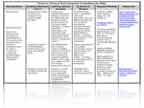
The weekly matrix will serve as your roadmap for completing the week's activities. On the first page of each week you will see the small matrix image located under the Key Questions. Click on the image to open the matrix. The matrix provides an overview for the week and contains the following:
- key questions
- guiding objectives
- learning activities
- evidence of mastery information
- required reading
- additional resources
Use the matrix as your guide for completing the week's assignments. Some assignments may require you to complete a writable PDF and upload the completed form. These documents can be completed by typing directly into the form. You must have the latest version of Adobe Reader to complete these assignments. Directions for uploading an assignment can be found in the Assignment Upload section in the Left Navigation Bar.